
Download the goodshal app and install it on your phone. Compared to playing through a browser, the app offers faster loading, push notifications, and one-tap access from your home screen — which is why goodshal players prefer it.
Download Methods
Android users can install goodshal directly via APK, while iPhone users can access it directly through Safari browser. goodshal has optimized both methods to run smoothly.
Android players can download and install the goodshal APK file. Because goodshal is not on the Google Play Store and the APK comes directly from the goodshal website, you need to enable "Unknown Sources" or "Install unknown apps" in your Android settings. The APK file is around 30 MB, and goodshal Android players report that downloading over WiFi completes within minutes.
IPhone and iPad players can access goodshal directly through Safari browser without getting an app from the App Store. Additionally, tapping "Add to Home Screen" in Safari places the goodshal icon on your home screen, letting you play in fullscreen without a browser bar — just like a native app. iOS players use this method because it requires no download, works immediately, and uses no storage.
How to Use on Android
Android players who follow these five steps can install the goodshal APK and start playing within minutes. Because the settings change can be turned off again after installation, players concerned about security can disable that option once the APK is installed — goodshal recommends doing so.
On your Android phone, go to Settings → Security or Privacy → find "Install unknown apps" and grant permission for your browser or file manager. On Samsung phones, the path is Settings → Biometrics and security → Install unknown apps.
Open the goodshal website in Chrome and tap the Android APK button on the download page. The APK file will begin downloading immediately, and you'll see the download progress in your phone's notification bar.
Tap the goodshal APK file in your Downloads folder. An Install button will appear — tap "Install." After a moment, installation will complete and an "Open" button will appear.
Open the app and log in with your goodshal username and password. If you don't have an account yet, tap Register to create one, then make an MMK deposit and start playing.
After installing the goodshal APK, you can re-disable the Unknown Sources option in Settings to keep your phone secure — goodshal recommends doing this.
How to Use on iOS
IPhone players can add goodshal to their Home Screen from Safari browser without downloading anything from the App Store, and play just like a native app. This uses Progressive Web App (PWA) technology, so iOS players note that you can access goodshal via its icon without using any iPhone storage.
Open Safari on your iPhone, type the goodshal website address into the address bar, and go to the site. iOS players note that the "Add to Home Screen" feature works best in Safari, not Chrome.
Tap the share icon (the box with an arrow pointing up) below the Safari address bar. The share menu will open — scroll down and look for the "Add to Home Screen" option.
Tap "Add to Home Screen." The goodshal icon name will appear — tap "Add" to confirm. The goodshal icon will immediately appear on your iPhone home screen.
Tap the goodshal icon on your iPhone home screen. It opens in fullscreen without a Safari browser bar — just log in and you are ready to play goodshal Slots, fish shooting games, and sports betting directly.
Note
Removing the goodshal icon from your iPhone Home Screen has no effect on your account — your balance and game history will not be lost. You can add it again by logging in through the website, and your account will continue exactly as before.
App Features
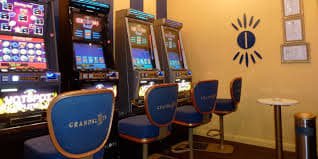
The goodshal app features over 500 slot games from more than 10 providers, including JILI, PG Soft, and Pragmatic Play titles, all playable directly within the app.
Fishing games such as Ocean King, All-Out War, and Dragon Fortune are available in the goodshal app with a mobile-optimised layout, and players report that touch controls work smoothly.
You can bet on Myanmar Premier League, EPL, Champions League, and esports with real-time odds in the goodshal app, and may receive match result notifications.
The goodshal app lets you play live dealer baccarat, roulette, and blackjack via real-time video streaming, and runs smoothly with a 4G or WiFi connection.
Players report that deposits and withdrawals within the goodshal app via KBZPay, Wave Money, AYA Pay, and CB Pay can be completed within minutes.
Goodshal customer support is available 24/7 in Burmese via live chat, accessible directly through the chat window inside the app.
App System Requirements
App Update
When an update is available for the goodshal Android APK, you will receive an in-app notification. Tap that notification to download the new APK and complete the update. iOS players always access the latest version directly through the website, so there is no separate update process for iOS.

Comparison
| Features | Goodshal App (Android) | Goodshal iOS Safari | Browser (PC/Mobile) |
|---|---|---|---|
| Load Speed | Fast | Fast | Standard |
| Push Notifications | Available | Limit | Not Available |
| Home Screen Icon | Yes | Yes | None |
| Offline Mode | Some Only | None | None |
| Storage Usage | ~60 MB | Not Used | Not Used |
| Touch Control | Best | Good | Standard |
| Required Updates | Re-download APK | Automatic | Automatic |
| Available Games | Full | Full | Full |
Both the Android APK and iOS Safari options give you full access to goodshal's games with MMK payment support.
Payment
The goodshal app supports the mobile payment methods favored by Myanmar players for deposits. goodshal players report that transfers via KBZPay arrive the fastest. The same payment methods can also be used for withdrawals, and you can contact goodshal customer support to ask about the minimum withdrawal amount.
KYC Verification
KYC (Know Your Customer) verification on goodshal is designed to protect your account and ensure faster, smoother withdrawals. You can deposit and play before completing KYC, but goodshal states that having KYC completed speeds up the withdrawal process.
Upload front and back images of your Myanmar NRC inside the goodshal app. The photo must be clear and your name must be legible.
You will need to upload a clear selfie showing your face. goodshal recommends taking the photo in natural light without glasses before uploading.
After submitting your KYC, goodshal will review it within 24 hours and notify you of the result via an app notification or live chat.
FAQ